ISO A · ISO 216
A4 paper size
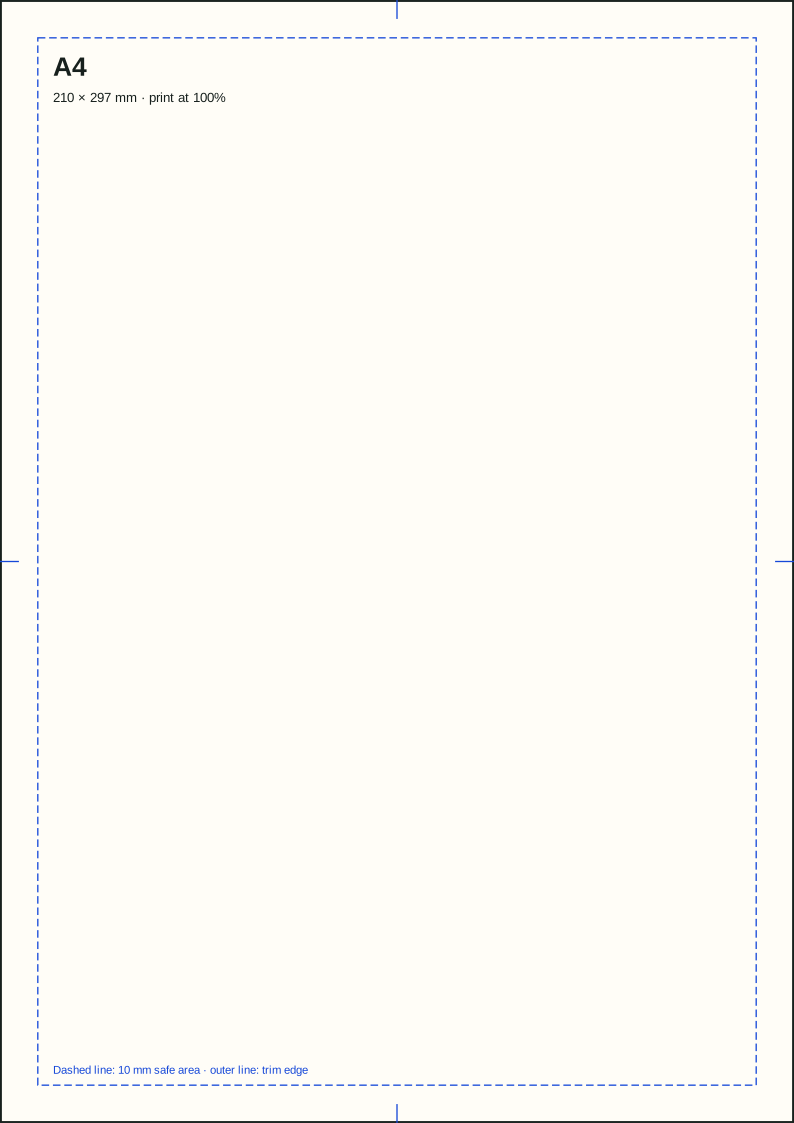
A4 measures 210 × 297 mm (8.27 × 11.69 inches). At 300 PPI, the portrait canvas is approximately 2480 × 3508 pixels, without bleed.
Jump to the A4 pixel-size table ↓
Open in the converterDirect answer
A4 dimensions in every unit
In portrait orientation, width comes first: 210 mm × 297 mm. Rotate the sheet for landscape orientation and the same measurements reverse.
| Unit | Width | Height |
|---|---|---|
| Millimeters | 210 mm | 297 mm |
| Centimeters | 21 cm | 29.7 cm |
| Inches | 8.27 in | 11.69 in |
| Points | 595.3 pt | 841.9 pt |
Digital artwork
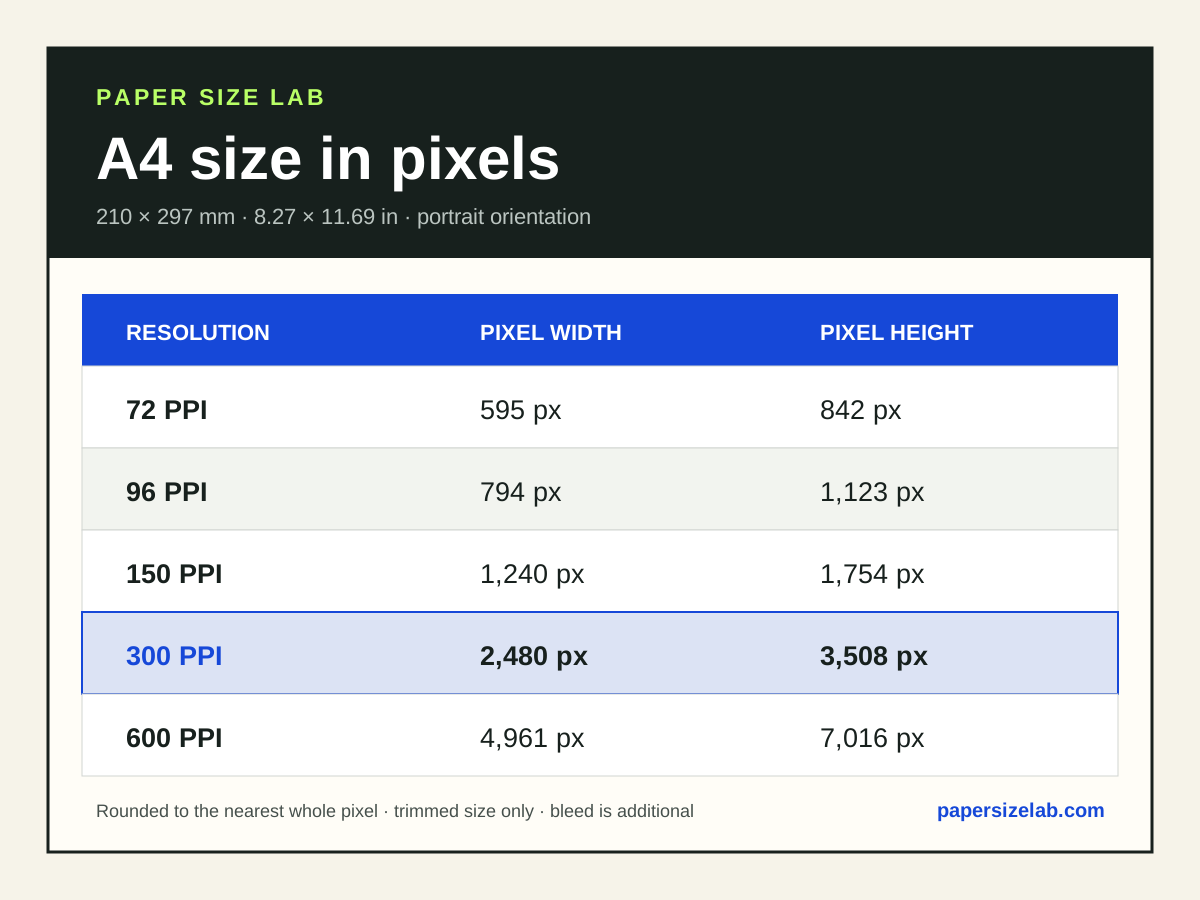
A4 size in pixels at 72, 96, 150, 300 and 600 PPI
There is no single pixel size for A4. The table uses image resolution in pixels per inch (PPI), often called DPI in paper-size searches. Printer DPI describes ink dots, not image pixels. Values are rounded to the nearest whole pixel and exclude bleed.
| Resolution | Pixel width | Pixel height | Typical use |
|---|---|---|---|
| 72 PPI | 595 px | 842 px | Screen preview |
| 96 PPI | 794 px | 1,123 px | Screen preview |
| 150 PPI | 1,240 px | 1,754 px | Draft print |
| 300 PPI | 2,480 px | 3,508 px | Quality print |
| 600 PPI | 4,961 px | 7,016 px | High-detail source |
Landscape, custom resolution and bleed
For landscape at 300 PPI, use 3508 × 2480 px. For any other resolution, calculate each side as millimeters ÷ 25.4 × PPI, then round once at the end. Use the millimeter values above rather than rounded inches.
If your printer asks for 3 mm bleed on every edge, add 6 mm to both dimensions: 216 × 303 mm, or approximately 2551 × 3579 px at 300 PPI. This is an example, not a universal bleed requirement.
Changing a low-resolution image’s PPI label alone does not add detail. A 72 or 96 PPI value also does not guarantee life-size display on a screen. Adobe explains image resolution and resampling.
Proportion & comparison
How A4 relates to nearby sizes
A4 is 5.9 mm narrower and 17.6 mm taller than US Letter. Scaling without checking margins can move line breaks or clip headers and footers.
A4 vs Letter · A3 dimensions · A5 dimensions · Printable A0–A6 size chart
- Portrait ratio
- 1 : 1.4143
- Area
- 0.0624 m²
- Orientation
- 210 × 297 mm
Works well for
Common A4 uses
- Office documents
- Letters and reports
- Forms
- Home and school printing
Check before using
Where it can go wrong
- US forms fixed to Letter
- Legal-length contracts
- 11 × 17 inch layouts
Regional & printer note
Will a printer recognize A4?
The default document size in most countries outside the United States, Canada, and parts of Latin America.
Always match the document size, print-driver size, paper tray, and physical sheet. A driver can silently scale a page even when the preview looks correct.
Measurement source
Checked against the defining standard
Paper Size Lab converts the stored millimeter measurements mathematically; it does not round-trip between units. The underlying sheet family is referenced to the standards organization below.
Read ISO 216:2007Questions people ask
A4 paper FAQ
What are the dimensions of A4 paper?
A4 measures 210 × 297 millimeters, 21 × 29.7 centimeters, or 8.27 × 11.69 inches in portrait orientation.
How many pixels is A4 at 300 DPI?
A4 is 2480 × 3508 pixels at 300 DPI before adding bleed.
Is A4 the same as US Letter?
A4 is 5.9 mm narrower and 17.6 mm taller than US Letter. Scaling without checking margins can move line breaks or clip headers and footers.
What is A4 commonly used for?
A4 is commonly used for office documents, letters and reports, forms, home and school printing. Printer, postal, and finishing requirements still vary.
What is A4 in pixels in landscape orientation?
At 300 PPI, landscape A4 is approximately 3508 × 2480 pixels. At another resolution, swap the width and height from the pixel table. The physical sheet size does not change.
Why do A4 pixel dimensions vary between websites?
Pixel counts depend on the chosen pixels per inch (PPI). This page calculates each side as millimeters ÷ 25.4 × PPI, then rounds to the nearest whole pixel. Rounding up instead can produce a one-pixel difference. Bleed also increases the canvas dimensions.